Appendix A — Quarto (応用編)
A.1 スライド
Quartoでスライドを作る場合, PowerPoint, Beamer, Reveal.js などの形式を選ぶことができます. Quartoを使う人は Reveal.js 形式を選ぶことが多いですが, HTMLベースであるため扱いに癖があります. ここでは, Typst 形式でスライドを作る方法を紹介します. その他の方法はQuartoのドキュメントを参照してください. 基本的に文法は変わらず, YAMLフロントマターの format で revealjs などを選ぶことでスライド形式で出力されるようになります.
quarto-clean-typst
quarto-clean-typst は, 私 (柳本和春) が作ったQuartoでTypst形式のスライドを作るためのテンプレートです. ここでは最小限の機能を紹介しますが, 詳細は Zennの記事 を参照してください.
インストールはプロジェクトを開いた状態で, ターミナルから
quarto install extension kazuyanagimoto/quarto-clean-typstとして Y を入力するだけです. プロジェクトディレクトリに _extensions/kazuyanagimoto/clean/ というディレクトリができていれば成功です.
スライドの作成
YAMLフロントマターに format: clean-typst と書くと, Typst形式のスライドが出力されるようになります. そのほかは通常のQuartoと同じような内容を設定できます.
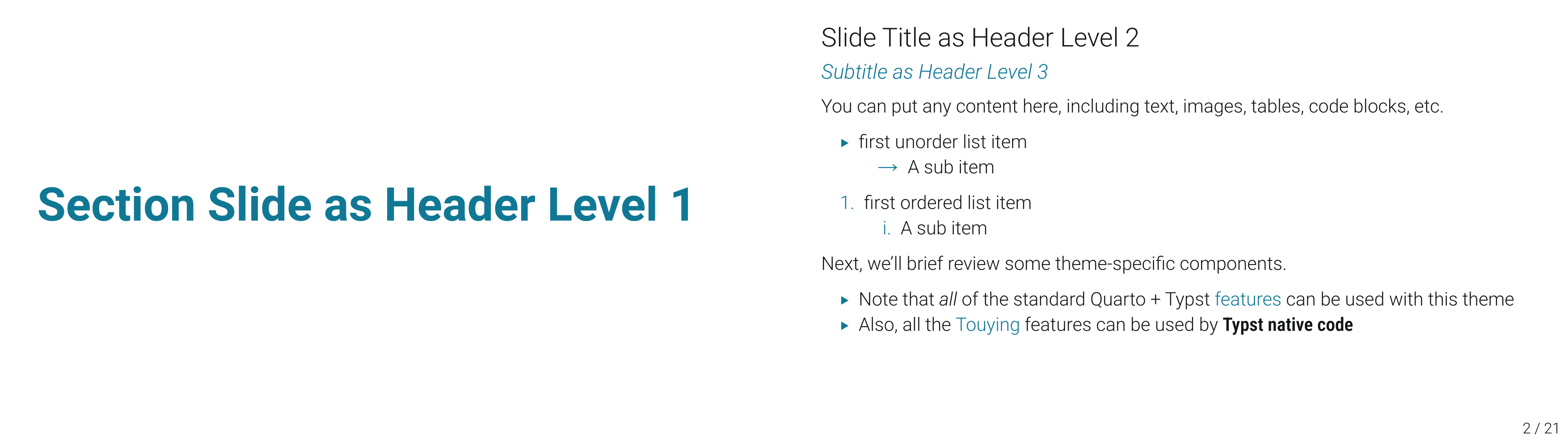
基本的には, Quartoのスライド記法 (特にReveal.jsの) を使います. h2レベルのヘッダーがスライドの区切りかつスライドタイトルであり, h1がセクションタイトル, h3がスライドのサブタイトルとなります.
slides.qmd
# Section Slide as Header Level 1
## Slide Title as Header Level 2
### Subtitle as Header Level 3
You can put any content here, including text, images, tables, code blocks, etc.
- first unorder list item
- A sub item
1. first ordered list item
1. A sub item
Next, we'll brief review some theme-specific components.
- Note that _all_ of the standard Quarto + Typst
[features](https://quarto.org/docs/output-formats/typst.html)
can be used with this theme
- Also, all the [Touying](https://touying-typ.github.io) features can be used by **Typst native code**.局所的なカスタマイズ
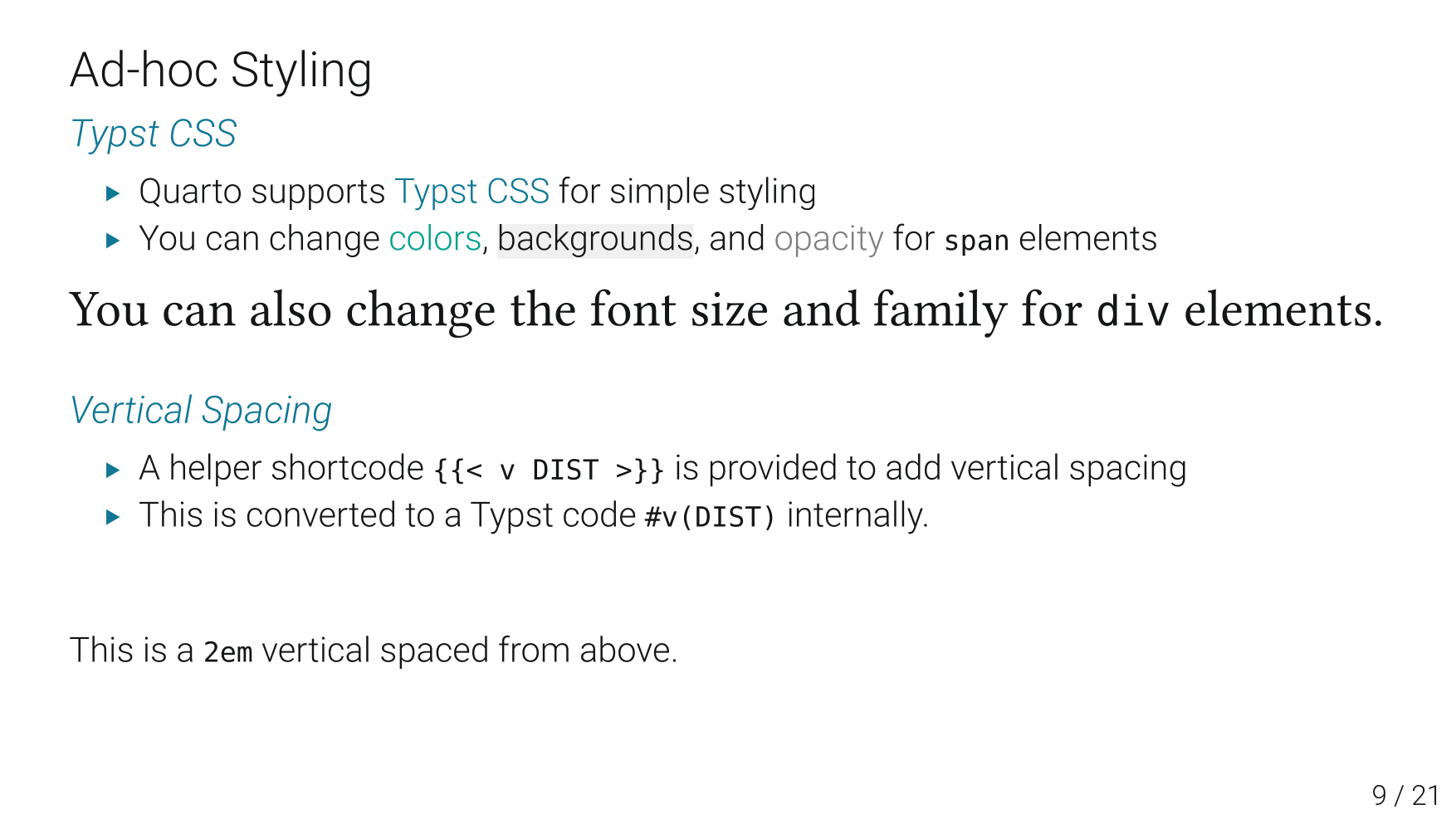
スライドを作成する際, 一部のスライドだけスタイルを変更したり, 行間を調整したいことがよくあります. QuartoのTypst CSSを用いたり, 独自機能の {{< v 1em >}} を使うことで局所的なカスタマイズが可能です.
slides.qmd
## Ad-hoc Styling
### Typst CSS
- Quarto supports [Typst CSS](https://quarto.org/docs/advanced/typst/typst-css.html) for simple styling
- You can change [colors]{style="color: #009F8C"}, [backgrounds]{style="background-color: #F0F0F0"}, and [opacity]{style="opacity: 0.5"} for `span` elements
::: {style="font-size: 30pt; font-family: 'Times New Roman'"}
You can also change the font size and family for `div` elements.
:::
{{< v 1em >}}
### Vertical Spacing
- A helper shortcode `{{< v DIST >}}` is provided to add vertical spacing
- This is converted to a Typst code `#v(DIST)` internally.
{{< v 2em >}}
This is a `2em` vertical spaced from above.演習
- 適当な場所に演習用のフォルダを作ってください (例:
11-exercise). - 11-1-exercise.qmd をダウンロードして, そのフォルダに入れてください.
- Quartoのextension
quarto install extension kazuyanagimoto/quarto-clean-typstによってquarto-clean-typstをインストールしてください. 11-1-exercise.qmdをコンパイルしてみてください. うまくいけば,11-1-exercise.pdfというファイルが生成されるはずです.11-1-exercise.qmdを開いて, 中に書かれている指示に従ってスライドを作成してください.